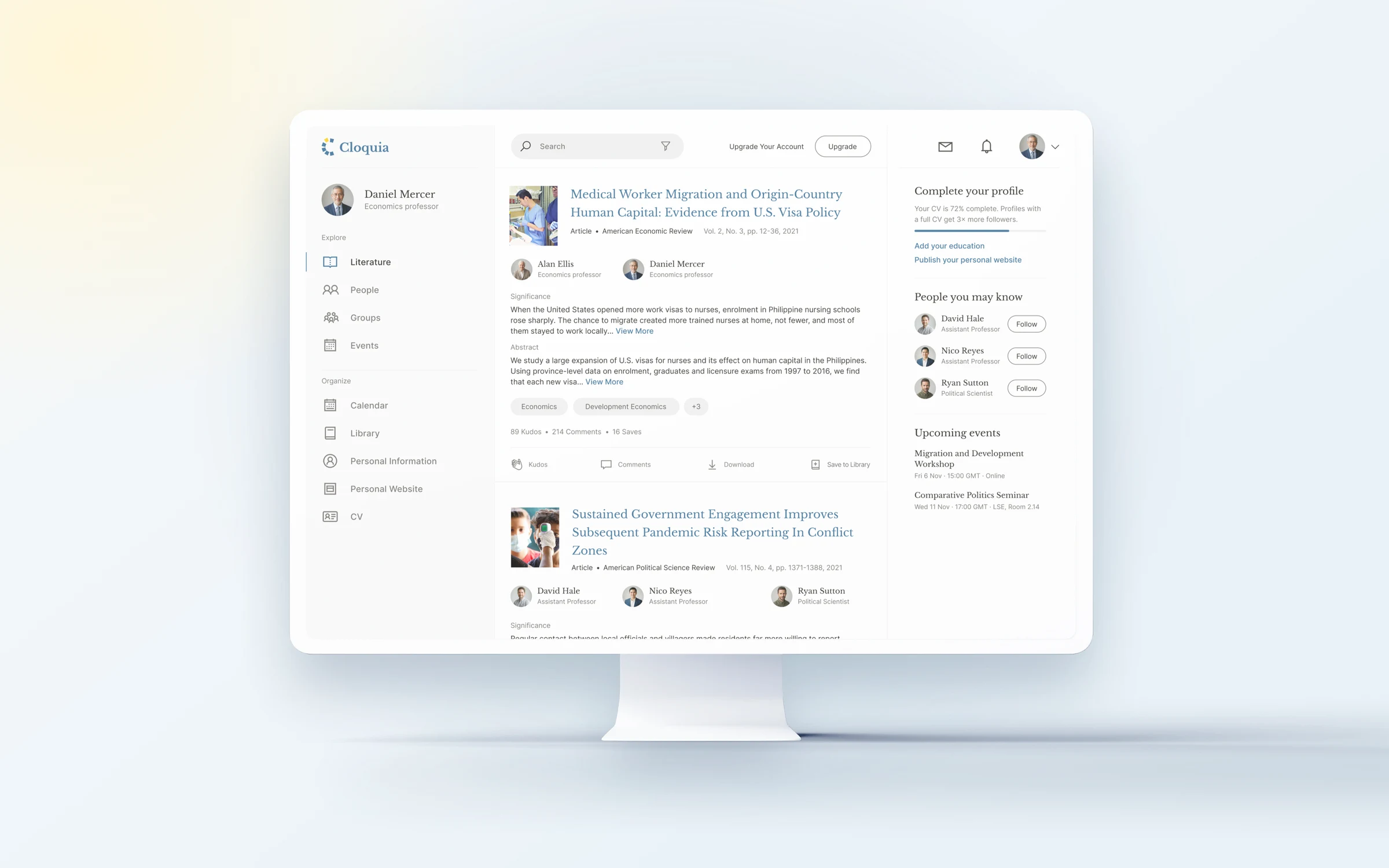
Keep up with your field.
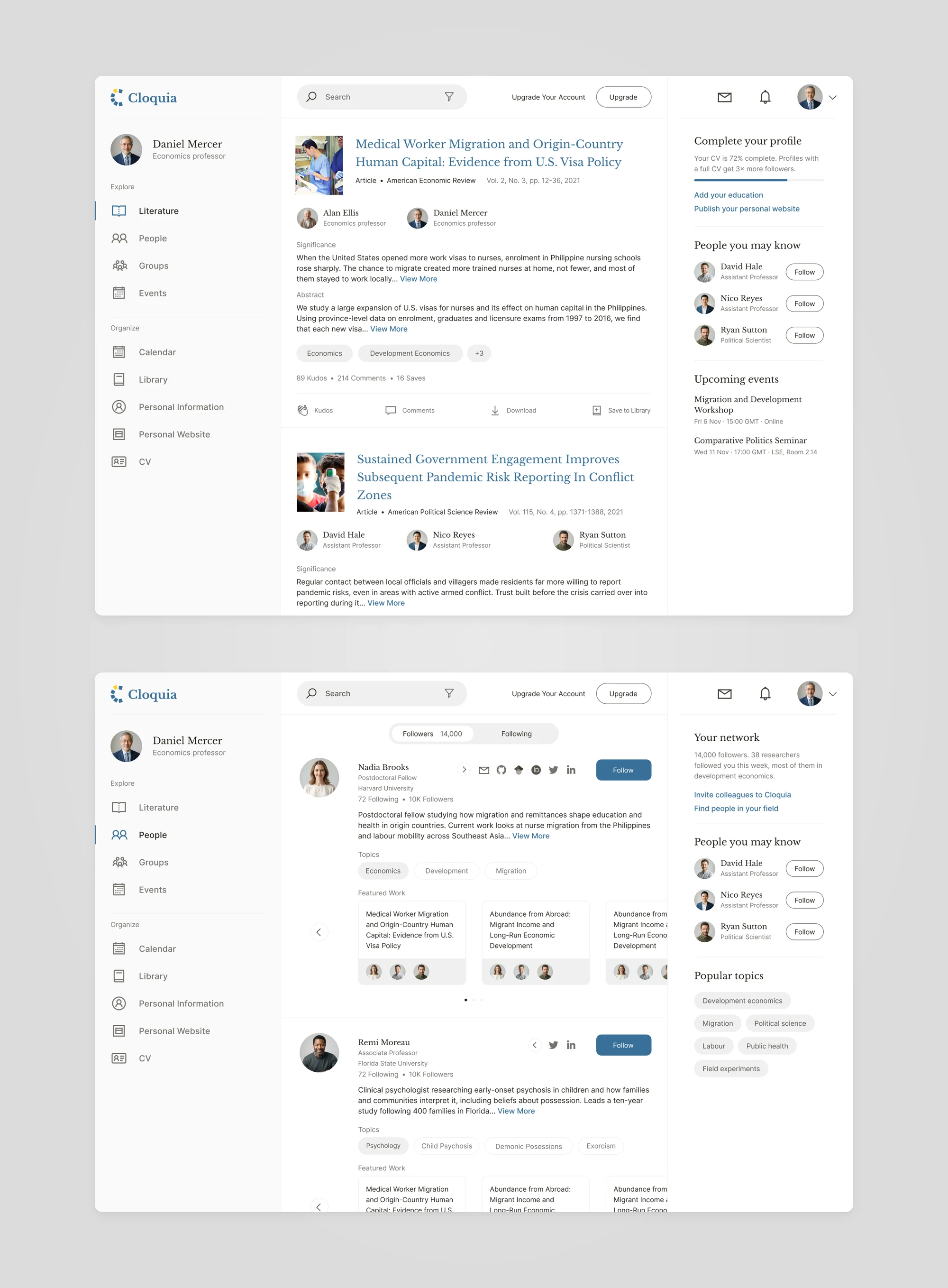
The Literature feed shows new papers from the people and topics you follow, each with a note on why it matters. A colleague's profile shows their field, their topics and their featured work, with a Follow button.
One home for a researcher's work.

Cloquia is a professional network for university professors and researchers. They follow new papers in their field, meet colleagues and keep their library, CV and personal website in one place. We designed the product: the web app and the personal website.
01The challenge
A professor's output is papers, books, software, courses and talks. It is spread over journal sites, a CV in a document and a department web page that rarely gets updated. Cloquia wanted one home for all of it, with a community around it.
Publications sit on journal sites, the CV in a file, the personal page on a university server. Every copy drifts, and keeping them in step takes time researchers don't have.
Academics decide what to read by the question, the authors and the journal. A feed built for quick posts and likes doesn't help them judge a paper.
A journal article, a book chapter, a piece of software and a course syllabus each need different details. Adding them has to stay quick without losing what a citation or a CV needs.
02Our approach
We built the product around the researcher's own record. What they add once shows up in their library, their CV and their website, and the community sees the work itself.
A publication lives in the Library. Two ticks put it on the CV and the personal website, so there is one place to keep up to date.
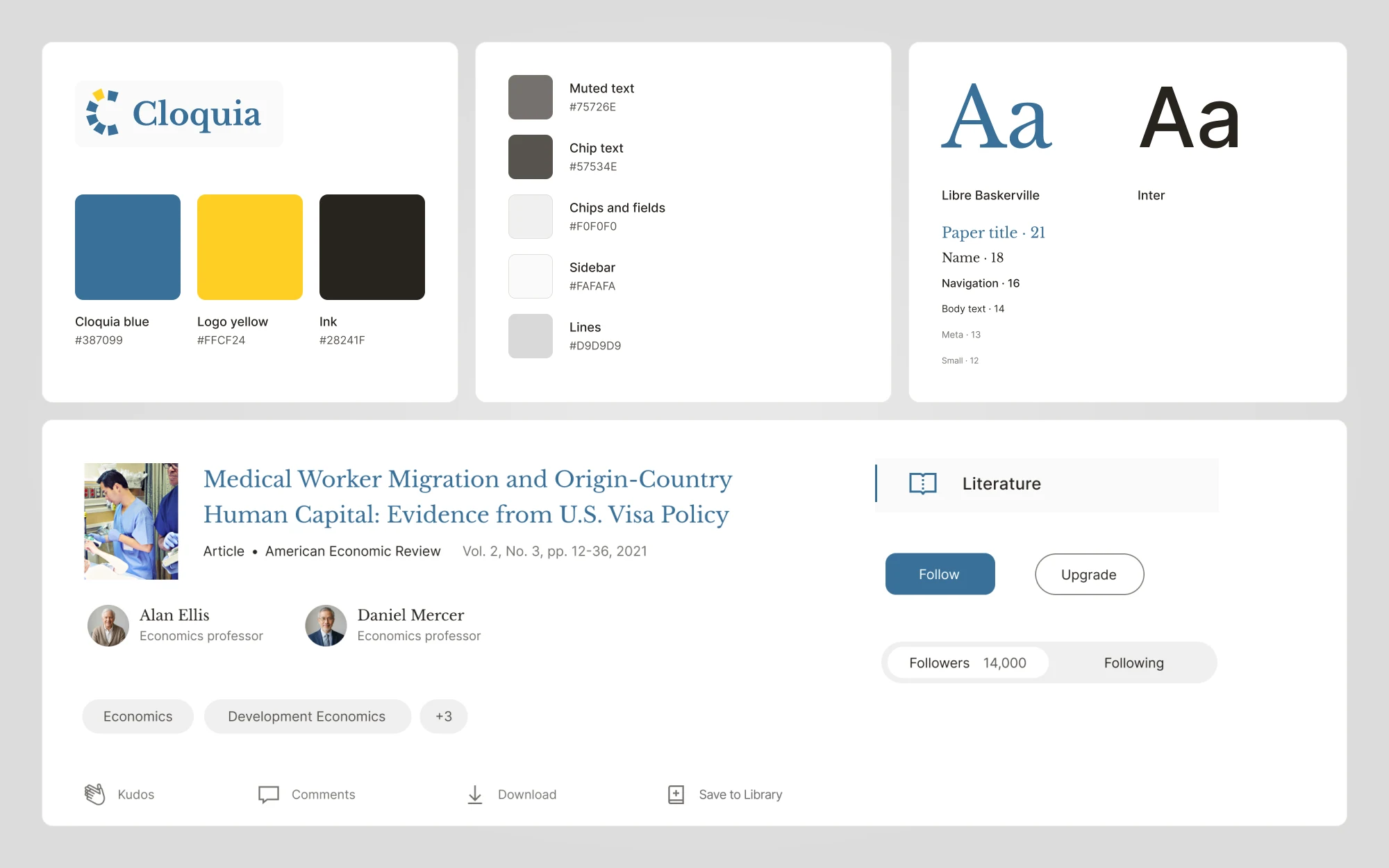
Each post leads with the paper: a serif title, the journal and volume, the co-authors and their roles, and a short note on why it matters before the abstract. Kudos, comments and Save to Library take the place of likes.
Pick the type first, then fill in two short steps with an outline beside them. Each type asks only for the details it needs.
03The product in action
The Literature feed shows new papers from the people and topics you follow, each with a note on why it matters. A colleague's profile shows their field, their topics and their featured work, with a Follow button.
Choose Journal article, add the title, abstract and significance, then your co-authors and the PDF. Two ticks add the paper to your CV and your website, and it joins your scholarly work.
The CV gathers appointments, education, grants, awards and publications on one page. The website editor turns the same record into a personal site at your own address, with your logo, header photo, colours and font.
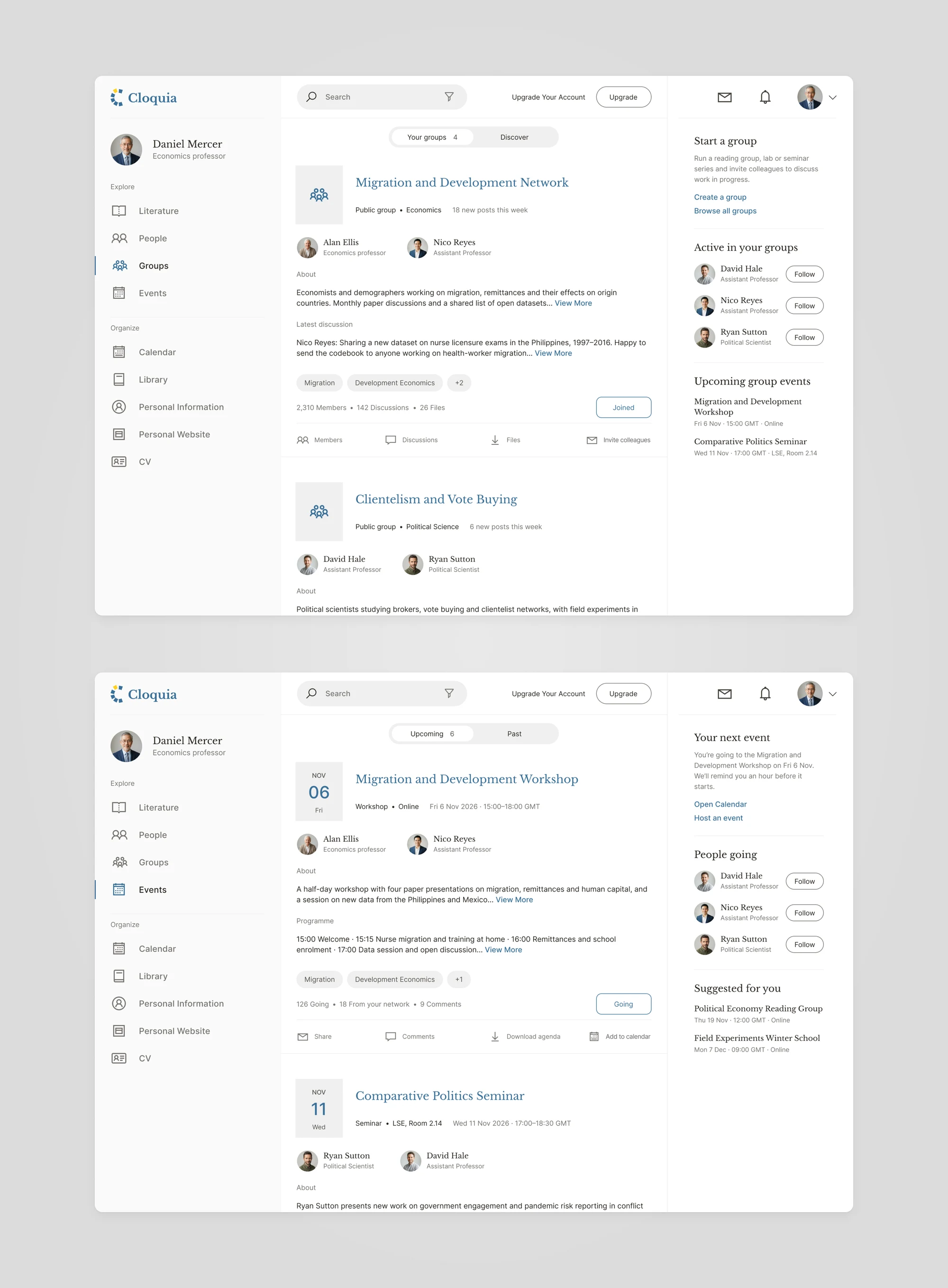
Groups bring researchers together around a field, with discussions and shared files. Events list workshops and seminars with the programme, the people going and a button to register.

04Design language
Libre Baskerville gives titles and names the feel of a journal page. Inter keeps forms, lists and long CVs easy to read. Cloquia blue marks links and actions, and the logo's yellow stays in the logo.

06Contact
We design apps and platforms from first idea to next release.
Tell us a little about your product. We’ll get back to you soon.