THE DAILY CHECK-IN
One look at the month.
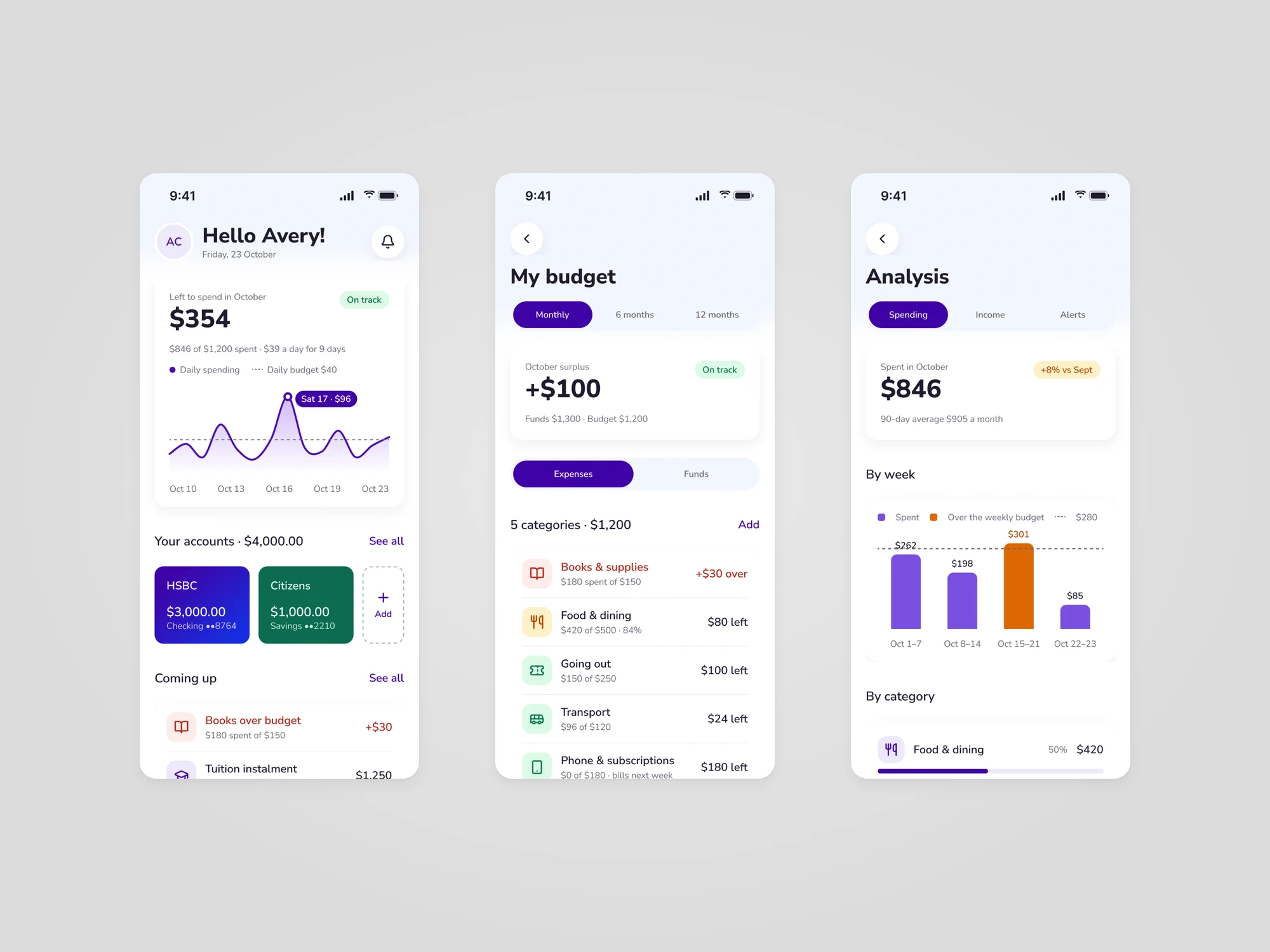
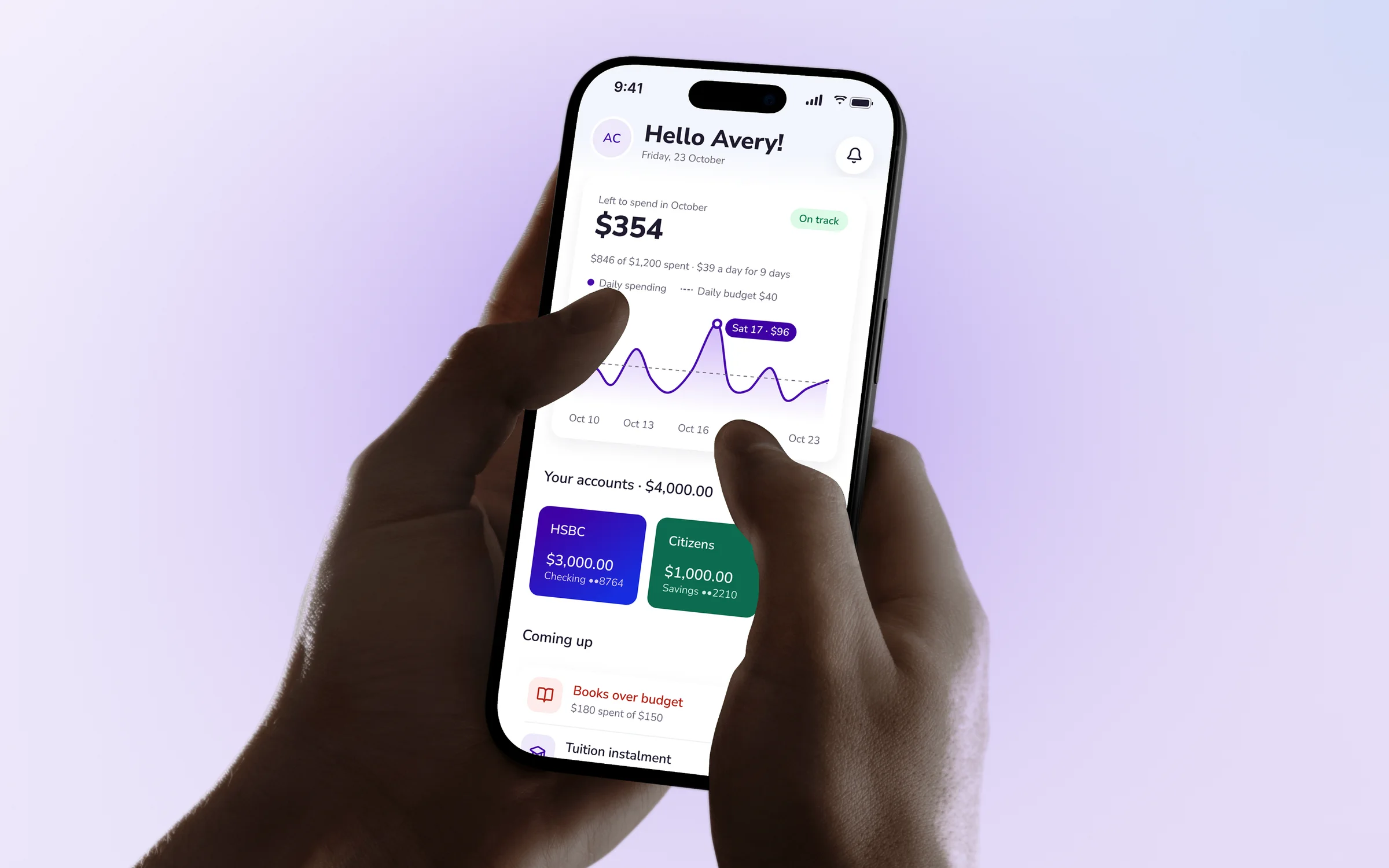
Home shows $354 left for October, $39 a day for the last nine days and what is due next. My budget splits the month into categories, and Analysis compares each week with the weekly budget.
Student money, one clear answer a day.
BlueBubble helps university students run their money: what they can still spend this month, what is due next, and how university costs and financial aid add up. We designed the BlueBubble iOS app, from sign-up to budgets, accounts, university planning and sharing with family.
01The challenge
Most students manage their own money for the first time while studying. Income comes from a campus job, from parents and from financial aid, each on a different day. Spending happens every day. BlueBubble had to turn all of that into something a student can read in a few seconds.
A part-time job pays every two weeks, parents send help when they can, and aid lands once a term. Students need one number that says what is left for the month.
Tuition, housing and meals add up to a big yearly figure, partly covered by grants. Students need to see what is left to pay and when each payment is due.
Many students get help from family. They want to share part of their money picture without handing over every purchase.
02Our approach
We designed every screen to answer a student's question before it shows the detail.
Home opens on what is left this month, a daily amount and an on-track check, then the next bills and tasks. Colours keep one meaning everywhere: green for on track, amber for due soon, red for over budget.
Tuition, housing and meals sit next to grants and work-study. What aid doesn't cover becomes monthly instalments, and the next one shows on Home with everything else that's due.
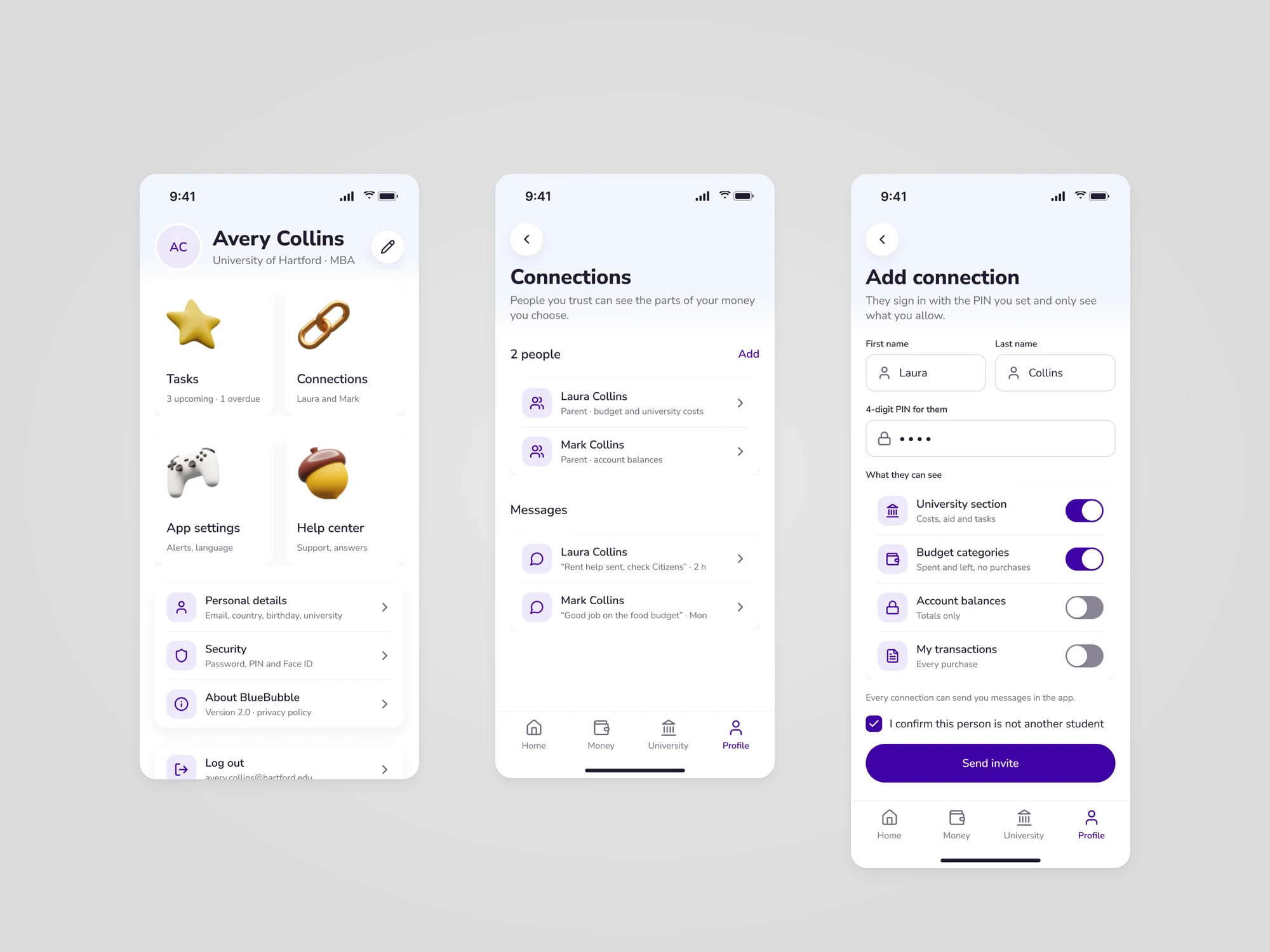
Students invite a parent with a PIN and choose what they can see: university costs, budget categories, balances or purchases, each with its own switch.
03The product in action
Home shows $354 left for October, $39 a day for the last nine days and what is due next. My budget splits the month into categories, and Analysis compares each week with the weekly budget.
The University tab adds up the year: $20,000 in costs, $5,000 in aid and $15,000 left, paid as $1,250 a month. Students can compare offers by net cost after aid and find plain answers about grants.
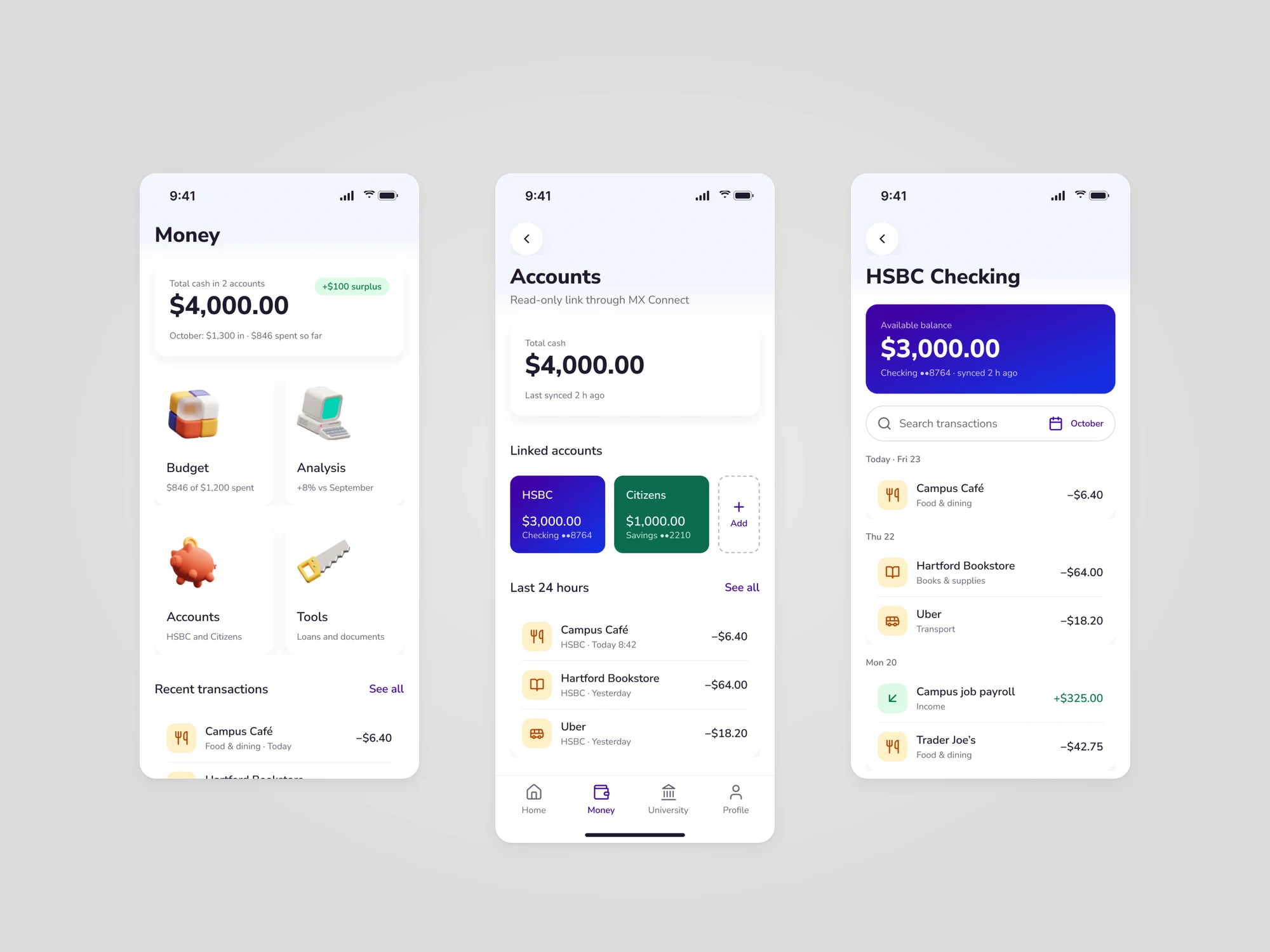
Money brings the linked bank accounts, budget, analysis and tools together. Accounts shows each bank with its own balance, and each account opens on its latest transactions.
From Profile, students add a parent as a connection. They set a PIN and choose, area by area, what that person can see. Connections can also send messages in the app.
04Design language
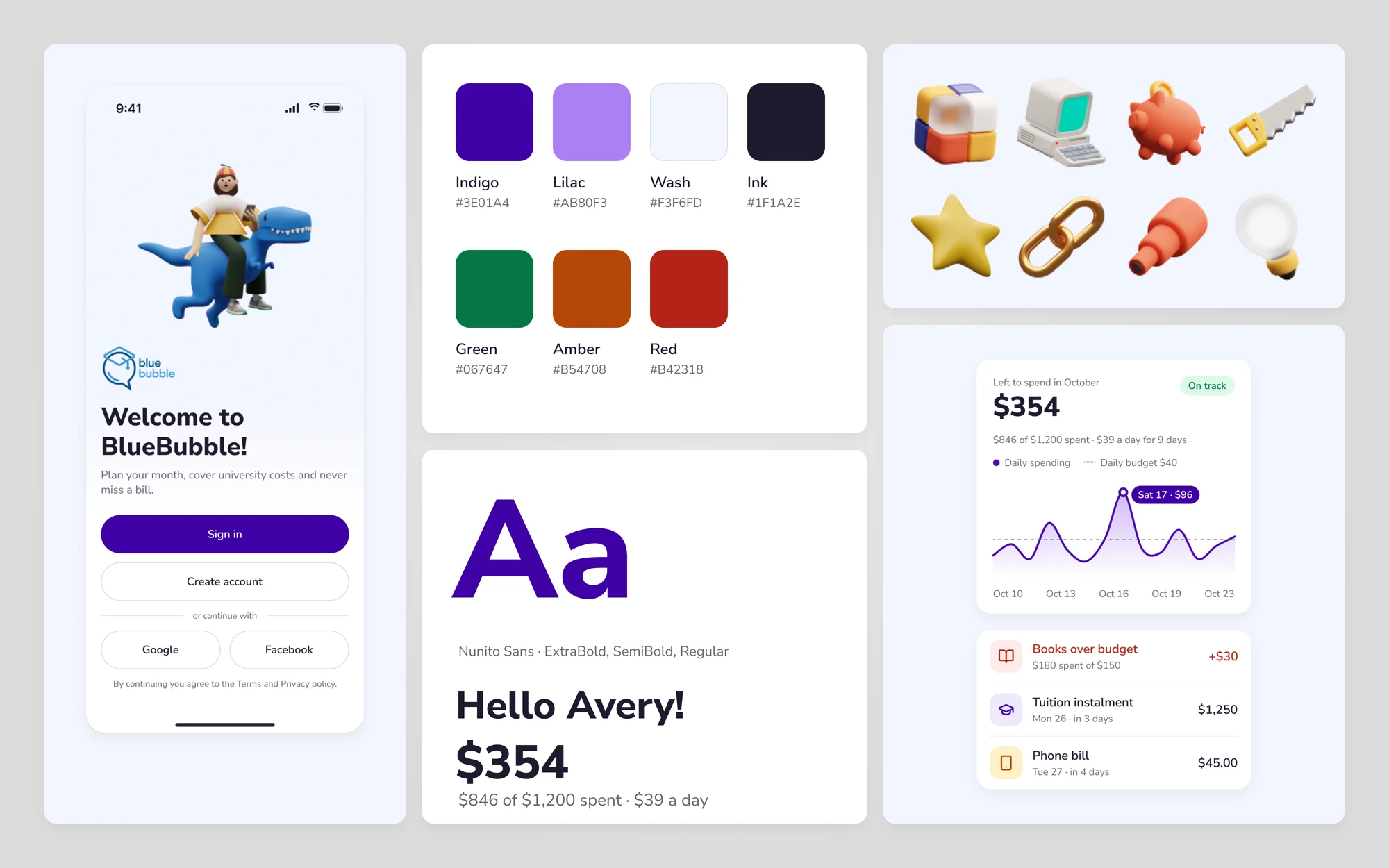
BlueBubble keeps its playful side: a 3D object for each area and a mascot on the welcome screen. The screens around them stay calm, with white cards, an indigo brand colour, Nunito Sans and three status colours that always mean the same thing.
06Contact
We design apps and platforms from first idea to next release.
Tell us a little about your product. We’ll get back to you soon.